Category: Smart Life

  • Everyday Payments in Japan: A Practical Guide for Foreign Residents

    Everyday Payments in Japan: A Practical Guide for Foreign Residents

    Everyday payments in Japan can involve cash, bank cards, stored-value cards, transport IC cards, QR apps, mobile wallets and contactless payments. These methods overlap, but they are not the same product and no one method works everywhere. The useful first step is to understand how a payment is funded, where it is accepted, what support it needs and what happens if a payment goes wrong.

    This guide does not rank payment products, promise card approval or merchant acceptance, compare points or fees, or recommend a provider.

    Start with the payment situation

    Ask what you need to pay for: a shop purchase, transport, an online order, a recurring bill, a refund, or cash withdrawal. Then ask whether you need a physical card, a phone, a bank-linked product, stored value, or a method the merchant actually accepts. A method that works for trains may not work for a website. A card accepted in person may work differently online.

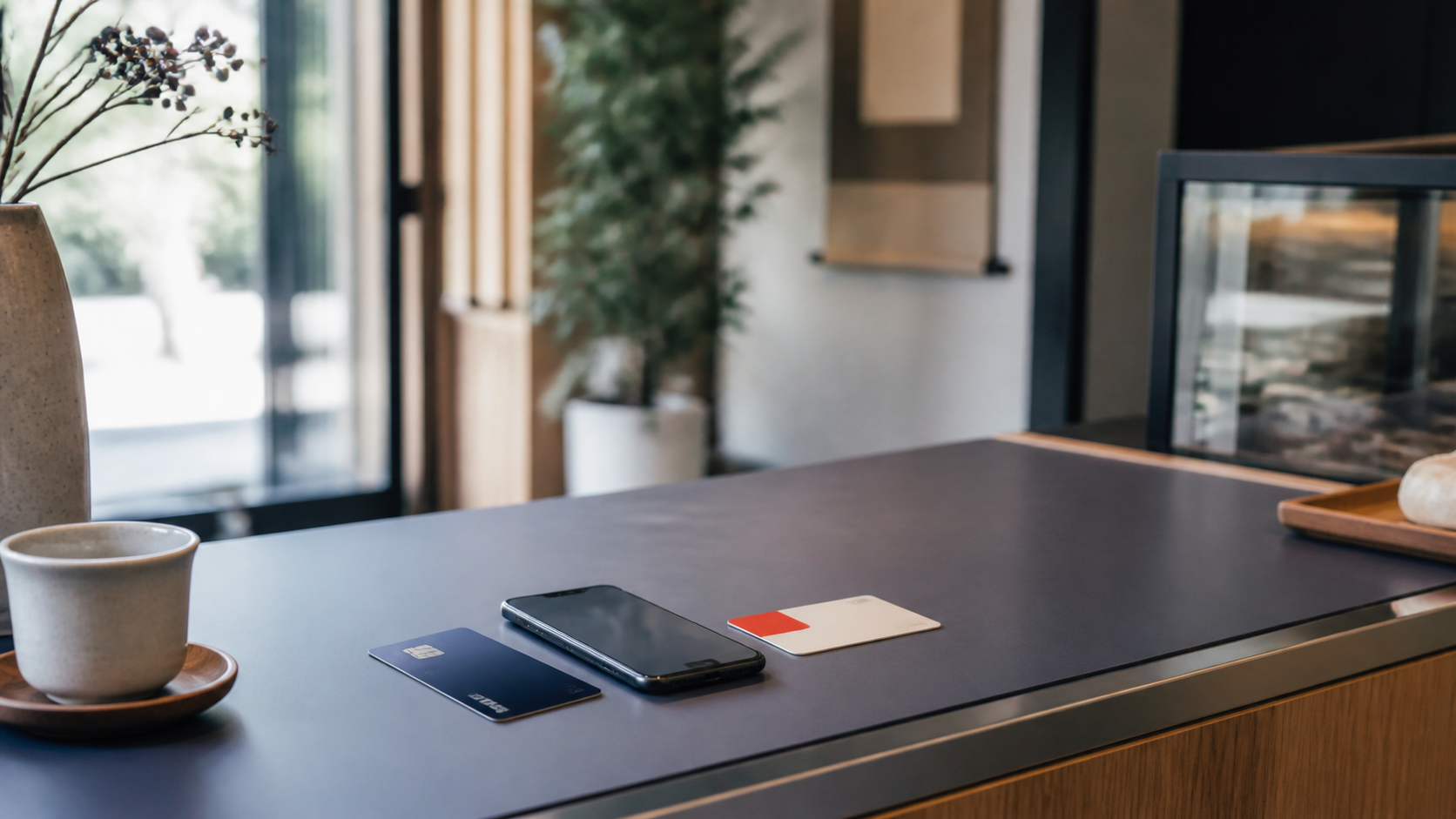
    Several payment methods can coexist because they solve different payment jobs. Cash can help where electronic payment is not accepted. A transport IC card can be useful for travel and participating shops. A debit or credit card may be needed for some online or recurring services. A phone wallet can be a way to present an existing credential, not a replacement for every card or account. Build a small setup around your real needs rather than expecting one product to cover every situation.

    Cash and bank cash cards

    Cash remains a practical payment method in Japan, but Japan is neither cash-only nor fully cashless. A merchant may accept cash, some cards, IC, QR, or another method. Check the current marks or ask before paying.

    A bank cash card is not automatically a payment card. It commonly supports account and ATM functions. It is different from a debit card and a credit card. See the Bank Account guide for account-opening preparation; do not assume an account includes every card function.

    Debit, credit and prepaid cards

    A debit card is generally linked to a bank account and payment normally draws on available funds under that product’s rules. Availability, online use, recurring-payment use and merchant acceptance can vary by bank, product, network and merchant.

    A credit card is a separate credit product with a separate application, provider decision, limit, billing cycle, payment arrangement and authentication process. Opening a bank account does not guarantee a debit card, credit card, credit limit or online-payment function. This guide does not offer approval tactics or “easy card” lists.

    Prepaid cards use value loaded in advance. Loading route, spending limits, acceptance, expiry, refunds and online use can differ by product. Read the current terms rather than assuming every stored-value card works like cash or a bank card.

    The funding question is often more useful than the product name. A payment may use cash you hold, a linked bank balance, a credit arrangement, or value loaded in advance. That affects what you need to set up, what happens when funds are unavailable, and which provider’s terms apply. It does not predict merchant acceptance.

    Transport IC cards and contactless payments

    Transport IC cards such as Suica and PASMO can be used for transport and at participating retail locations. Physical and mobile versions can have different procedures and supported devices. Not every IC card, region, shop, mobile phone or wallet setup works identically. Look for the current payment mark and check the specific product rules.

    Contactless payment describes how a payment is presented, not one universal funding method. Tapping may use a contactless credit or debit card, a transport IC card, or a credential in a mobile wallet. The underlying product, device and merchant acceptance still matter.

    QR payments and mobile wallets

    QR payments normally use an app and may involve stored balance, a linked bank account, a card or another provider-specific funding route. A merchant may display a QR code, or the customer may present a code or barcode. Setup, verification, funding, limits, refunds and support are provider-specific.

    A mobile wallet is also not one universal payment system. It may hold or present cards, IC cards or payment credentials, but device support, card support and service availability vary. Do not assume that a wallet on your phone means every Japanese card, merchant or payment service will work through it.

    At checkout, a QR payment may involve the shop displaying a code for you to scan, or you showing a code or barcode for the shop to scan. The visible step can be simple, but the account setup, identity checks, funding route, balance, transaction limits and support rules belong to the chosen provider. Do not choose a QR service only because you saw it at one shop.

    Merchant acceptance, online payments and recurring bills

    Acceptance is merchant-specific. A store may accept cash, selected card networks, IC, QR or particular wallets, but not all of them. For an unfamiliar purchase, check the displayed marks or ask the merchant.

    Foreign-issued cards can be affected by the network, merchant, issuer, security or authentication, and whether the transaction is online or in person. Neither universal acceptance nor universal rejection is a safe claim.

    Online stores and recurring services can have their own requirements for card networks, wallet support, authentication, billing-address formats, domestic or foreign cards, and recurring-payment routes. Utilities, phone or internet bills and subscriptions may accept cards, bank debit, or another route depending on the service. Check the current payment page before relying on one method.

    For a recurring bill, confirm the payment route before the due date and keep a record of the service, method and support contact. A payment route that was accepted when you started may need attention if a card expires, a bank account changes, a wallet is removed, or a provider asks for an update. This is preparation, not a guarantee that every service will accept your preferred method.

    Top-ups, fees and refunds

    IC, prepaid, QR and wallet systems can use different top-up routes, such as cash, bank, card, ATM, app or another provider method. The available route is product specific. Do not assume that a physical card and mobile version can be charged the same way.

    Fees, point programmes and campaigns change frequently. This guide therefore covers categories, not rankings: possible ATM, card, loading, transfer, currency, reissue or service fees. Read the current terms for the exact product and transaction.

    If you cancel a purchase or receive a refund, the merchant, provider and payment method can affect whether a refund is possible, where it returns, and how long it takes. Keep receipts and confirmation. Do not expect an immediate refund or treat this guide as chargeback advice.

    When you ask for a refund, first keep the order, receipt and cancellation information. The merchant normally explains its own process, while the payment provider may show the transaction later according to its product rules. If the route or timing is unclear, use the merchant’s and provider’s official support channels rather than relying on a general rule from another payment method.

    Loss, authentication and payment safety

    Keep your card, phone and payment credentials secure. Do not share a PIN, password, one-time code, card number or authentication prompt with an unexpected caller or message. Banks and payment providers publish official contact and loss-report routes; use those rather than a link or number sent unexpectedly.

    If a card, phone or payment credential is lost, stolen, or may be compromised, use the provider’s official urgent process promptly. Protect the device lock and review payment activity. Public guidance also warns against card and cash-card theft and PIN exposure.

    Depending on the product and transaction, authentication can use a PIN, device authentication, an online verification step or a one-time code. These controls are intended to protect the payment route. Do not share them, and do not follow an unexpected request to approve a transaction or install an app. An English page or app does not guarantee English help for loss, refunds, billing, disputes or technical problems, so check the support route you may need before relying on a product.

    Some payment products offer points or temporary benefits. Their terms, campaigns and eligibility can change. Detailed points optimisation belongs in future Digital Value & Services content, not in this neutral payments foundation.

    Common mistakes to avoid

    1. Assuming one payment method works at every merchant.
    2. Treating a cash card, debit card and credit card as the same thing.
    3. Assuming a card is accepted online because it worked in a shop.
    4. Assuming a foreign-issued card will always work or never work.
    5. Treating a mobile wallet as a guarantee of card or service compatibility.
    6. Assuming all IC cards and mobile versions work the same way.
    7. Choosing a product only from a campaign, points message or introductory fee.
    8. Assuming top-up, refund or recurring-bill routes are universal.
    9. Sharing a PIN, password or one-time code.
    10. Waiting to find the official loss or support route after a problem happens.

    Before choosing a payment method

    • What are you paying for, and where?
    • Does the merchant accept the method today?
    • Is it cash, bank-linked, credit, prepaid or stored value?
    • What device, card, app, account or verification is needed?
    • How is value added or the bill paid?
    • What fees, limits, refund rules and support routes apply?
    • How will you protect it and report loss?

    Use this checklist as preparation, not as a score. Start with the places and services you actually use, including transport, shops, online orders and recurring bills. Keep a practical fallback such as cash or another accepted route where appropriate, and choose only methods whose funding, support and security steps you can understand.

    Who to verify with

    Use the merchant for current acceptance, the bank or provider for product terms, funding, fees, support and loss procedures, and public consumer or financial guidance for safety concerns. AIC does not confirm acceptance, approval, refunds or personal product suitability.

    Official and primary sources

    Before you act

    Choose the payment method after understanding the transaction, funding route, current acceptance, support and safety steps. Keep official apps and contact routes available, read current terms for the exact product, and pause before sharing payment information or reacting to an unexpected request.

    The useful result is a payment setup you understand and can manage safely, not a claim that one product is best for every foreign resident.

  • Opening a Bank Account in Japan: A Practical Guide for Foreign Residents

    Opening a Bank Account in Japan: A Practical Guide for Foreign Residents

    Opening a Japanese bank account can make parts of daily life easier, but it is not a single rule with one result for every foreign resident. A bank may look at your identity information, address, residence information, intended use, application route and its own current policy. The practical aim is to prepare well, understand what must be verified, and avoid treating one bank’s process as the rule for all of Japan.

    This guide does not rank banks, promise account approval, recommend a product, or compare fees and campaigns. It explains the questions to prepare before applying.

    Start here

    First decide why you need an account. It may be useful for salary, rent, utilities, domestic transfers, ATM access, online payments, automatic debits, refunds, or an employer or school process. That does not mean every service requires a Japanese account or that every account offers the same functions.

    Prepare to verify your exact situation with the chosen bank and application route. A branch, app, online route or postal process can ask different questions.

    Write down the tasks you expect the account to handle in the first few months. For example, you may need to receive salary, arrange a rent payment, withdraw cash, receive a refund, make a domestic transfer, or pay a bill by automatic debit. This turns a vague search for an account into practical questions about the functions, application route, support, documents and later account management that matter to you.

    Foreign resident does not mean one banking rule

    Foreign nationality is not itself a single banking category. Likewise, an immigration residence status does not automatically decide every bank’s account treatment. Financial institutions have legal identity-verification and anti-money-laundering responsibilities, while individual banks set policies and processes within that framework.

    Do not rely on the claim that every foreign resident must wait six months before opening an account. No nationwide rule with that scope supports this guide. A bank may have its own requirements concerning residence period, remaining stay, employment, study, or other information. Check the current policy for the exact bank and route.

    Documents, identity and address

    Financial institutions verify identity information when an account is opened and may ask again later when necessary. The FSA’s foreign-resident guidance describes checks that can include name, address, period of stay, status of residence and employment status.

    The exact document list differs. A residence card, passport, address evidence, signature or seal, student identification, employee identification, and other supporting documents may be relevant depending on the institution and your circumstances. Bring or prepare only what the bank’s current instructions request. A residence card can support an application, but it is not a guarantee of approval.

    Phone number and My Number

    Do not assume that every bank requires the same Japanese phone number or accepts the same contact method. Some application routes may require a phone number, device or authentication method. Verify this before starting.

    My Number also needs careful treatment. It has roles in some tax, reporting and regulated contexts, but this guide does not treat it as universally required to open every Japanese bank account. Read the chosen bank’s current instructions and distinguish ordinary account opening from international transfers or another regulated procedure.

    Choose an application route carefully

    Branch, app, online and postal routes can be useful in different circumstances, but none is universally easier. A branch does not guarantee English assistance. An English website does not prove that all application, verification, phone, app, or follow-up support will be in English. An app may have device, identity-document, address or language conditions.

    Before applying, check the route’s document list, language availability, identity process, expected communication channel, and what happens if the application cannot be completed immediately.

    Prepare without assuming the outcome

    It is useful to make a short preparation folder before you apply: the bank’s current page for the route, the documents it asks for, a record of your Japanese address and contact details, and questions about the account functions you actually need. If you are a student or employee, do not assume that a school or employer document is always required, but check whether the bank asks for one in your circumstances.

    If an application is paused, asks for more information, or is declined, do not treat that by itself as a conclusion about your future ability to bank in Japan. Ask the bank what it can explain, keep your information accurate, and avoid submitting inconsistent information through multiple channels. AIC cannot assess a reader’s eligibility or tell a bank how to decide an application.

    Account, cash card, debit card and credit card are different

    A bank account stores and receives money. A cash card is generally used for ATM access. A debit card, where a bank offers one and you are eligible, is a payment product linked to an account. A credit card is a separate credit product with its own application and decision.

    Opening an account does not automatically promise a debit card, a credit card, a credit limit, or every online-payment function. This guide is not a credit-card recommendation guide.

    Online banking, ATMs and domestic transfers

    Online banking can include an app, a website, authentication tools and security settings. Availability, language support, device compatibility, limits and authentication differ by bank and product. Use only official app-store listings and bank links, protect credentials, and do not enter account details through an unexpected message.

    Japan has bank ATMs and convenience-store ATMs. Hours, fees, withdrawal limits, supported cards and services can vary by bank, machine, time and transaction. Do not assume every convenience-store withdrawal is free.

    For domestic transfers, the sender may need the receiving bank name, branch, account type, account number and account-holder name. Fees and timing can differ. Check the bank’s current transfer instructions rather than promising an instant or free transfer.

    Make the first transfer carefully

    When you receive account details from an employer, landlord, school, shop, or another person, check them through the expected contact route before sending money. A similar-looking bank name, branch name, account number, or account-holder name can lead to an error. Keep the confirmation and transfer record. If a message unexpectedly changes bank details or creates urgency, pause and verify it independently.

    For your own account, learn the bank’s current authentication and limit settings before you need to make an important payment. The right question is not whether one app is universally better. It is whether you understand the official login route, the verification method, the transfer limits, the support route, and any fee or timing condition that applies to your transaction.

    Fees and international transfers

    Compare categories, not a volatile list of advertised prices: ATM fees, domestic-transfer fees, account or service fees where applicable, card or reissue fees, and international-transfer fees where relevant. Current fees and waivers are bank and product specific.

    International transfers can require additional identity, purpose, My Number, destination, limit, fee or compliance checks. They are not a reason to assume that an ordinary account provides every remittance function. Detailed remittance comparison belongs in future Banking and Money Movement content.

    Read terms at the time you use the service

    Bank fees can change, and the same institution can apply different terms depending on the account, card, machine, time, route, destination, or customer setting. This is why an evergreen guide should not provide a “cheapest bank” table. At the point of use, read the current fee and service notice for the exact product. Compare total conditions that matter to you rather than relying on a headline offer.

    If a bank offers a campaign, a temporary waiver, or a linked product, treat that as time-sensitive commercial information. Read the qualification, end date, exclusions, later fee, cancellation, and account-maintenance conditions. A promotion is not evidence that the bank is the right choice for every foreign resident.

    Keep information current

    Banks may ask customers to update address, name, residence information, phone number, employment or study information, depending on their policy and the customer’s circumstances. The FSA explains that institutions may reconfirm information as part of anti-money-laundering controls. Respond through a trusted official channel and ask the bank what is needed. Do not ignore a legitimate request just because the account was opened earlier.

    If you move, extend or change residence information, or plan to leave Japan, ask the bank what update, restriction, closure, debit, transfer or card-return steps apply. Do not assume that normal account use can continue after leaving Japan without telling the bank.

    When the bank contacts you

    Banks can contact customers to confirm information or a transaction. That is different from an unexpected caller asking for a PIN, password, one-time code, cash card, or immediate transfer. Start from the contact details on the bank’s official website, statement, or app rather than a link or number supplied in an unexpected message. If you are unsure, stop and ask the bank through its published channel.

    Keep a basic record of the account name, branch, customer-support route, cards issued, online-banking setup, automatic debits, and important dates. This can make a move, replacement card, change of address, or departure from Japan easier to manage.

    Fraud and account safety

    Never sell, lend, transfer, or give another person control of your bank account, cash card, passbook, PIN, password or verification code. Public authorities warn that sold, transferred or lent accounts are used in fraud and that account misuse can have serious consequences.

    Treat unexpected links, calls and messages as unverified until you confirm them through the bank’s official contact route. Phishing can lead to fraudulent online-banking transfers, and criminals may also impersonate officials to obtain cards or details. If you think your card, credentials or account may be compromised, contact the bank promptly through a trusted channel and seek appropriate official help.

    Common mistakes to avoid

    1. Treating nationality as a decision about account eligibility.
    2. Repeating the six-month myth as a nationwide rule.
    3. Assuming a residence card guarantees approval.
    4. Assuming every bank requires the same phone number, My Number, or document.
    5. Treating a bank account, debit card and credit card as the same product.
    6. Assuming an English website guarantees English support everywhere.
    7. Choosing a bank only from a temporary fee or campaign message.
    8. Assuming ATM withdrawals or transfers are always free or immediate.
    9. Ignoring a legitimate request to update information.
    10. Giving account access, a card, PIN or verification code to another person.
    11. Leaving Japan without asking the bank what must be changed or closed.

    Before choosing a bank

    • Identify the practical reason you need an account.
    • Check the bank’s current eligibility, document and address requirements for your route.
    • Confirm the language and communication support you actually need.
    • Ask how account, cash-card, debit-card, online-banking and transfer functions are provided.
    • Check current ATM, domestic-transfer, card and service fee categories.
    • Confirm what must be updated if your address, phone, employment, study or residence information changes.
    • For international transfers, verify the separate purpose, compliance, limit and fee requirements.

    Use the checklist as preparation, not as a scoring system. A bank may be suitable for one practical need and not provide every service a reader expects. If a term, fee, support route or requirement is unclear, ask the bank before you apply or agree to a related product.

    Who to verify with

    Use the selected bank for current eligibility, documents, accounts, cards, fees, ATM access, transfer arrangements, language support and account changes. Use public guidance from the Financial Services Agency and industry guidance from the Japanese Bankers Association for general preparation and safety. AIC does not confirm approval, fees, availability or a personal banking route.

    Official and primary sources

    Before you act

    Start with your own practical need, then read the current written requirements for the exact bank and route. Prepare the identity, address and residence information requested, ask how the account functions you need actually work, and keep a record of what you applied for.

    Take time before accepting a sales message or sharing any account information. The useful outcome is a safe, understandable account arrangement that fits your situation, not a claim that one bank is best for everyone.

  • Home Internet in Japan: A Practical Guide for Foreign Residents

    Home Internet in Japan: A Practical Guide for Foreign Residents

    Choosing home internet in Japan is not only a question of monthly price or advertised speed. Your address, building, rental situation, household use, equipment, support needs, and contract conditions can all affect what is practical. The right first step is to understand the type of connection you need and what must be checked before you order.

    This guide explains how to prepare for that decision. It does not rank providers, promise availability or speed, or recommend a particular campaign.

    Start with your situation

    Ask yourself:

    • Is this a temporary home, or do you expect to stay for a longer period?
    • Do you need a household connection for one person, a family, remote work, study, gaming, or many devices?
    • Are you renting, and do you know what internet facilities the building already has?
    • Can you wait for an installation if one is needed?
    • Do you need a portable option, or a connection intended to stay at one address?
    • Do you need support in a language other than Japanese?

    The answers help you decide which connection type to investigate. They do not identify a universally best provider.

    Internet service and Wi-Fi are different

    Internet service is the connection that reaches your home from a network. Wi-Fi is the wireless connection that lets your phones, computers, televisions, and other compatible devices use that home connection.

    Buying a Wi-Fi router does not create an internet service by itself. In many homes, the setup includes a service contract, line or terminal equipment, and a router that shares the connection inside the home. Some providers supply or rent some equipment. Others require or allow you to use your own compatible router. Check the exact service arrangement before ordering.

    Main connection types

    Fiber or fixed-line internet

    Fiber is a fixed connection that reaches a building or home through physical infrastructure. It can be a strong option for a household that expects regular home use, but it is not an automatic answer for every address. The building’s existing facilities, route to the room, provider process, equipment, installation possibility, and contract conditions all matter.

    An apartment and a detached home can have different practical questions. A building may already have some infrastructure without every room being ready for the same service. A provider may need to check the exact address, building name, room, and available route before confirming what can be ordered.

    Home 5G or fixed wireless

    Home 5G and other fixed-wireless services use a dedicated home terminal rather than a new fixed line into the home. They can be useful where a fixed-line installation is not suitable or where a household needs a different setup route. They are still household services, not simply portable mobile data.

    Provider rules may include a registered installation address, supported area, dedicated terminal, service restrictions, or other conditions. Do not assume that a home terminal can be used anywhere, that it has identical performance to every fixed-line service, or that it needs no address check.

    Cable internet

    Cable internet may be available in some areas or buildings. Like other services, it requires an exact address and building check. Its equipment, installation, support, plan conditions, and availability are provider-specific.

    Pocket Wi-Fi

    Pocket Wi-Fi is portable and can be useful for short stays, temporary connectivity, or a flexible single-user situation. It should not automatically be treated as equivalent to a fixed household connection. A household with many devices, remote work, regular video calls, or sustained streaming may need a separate home-internet decision.

    Check the exact address and building

    An availability map or a marketing statement is only a starting point. Before making plans around a service, confirm the exact postal address, building name, room number where requested, property type, and any existing internet infrastructure.

    Availability can be address specific and building specific. A street may be covered while a particular building or room needs a different route, additional work, or cannot use the same service. This is why AIC cannot confirm availability for a reader’s home. Use the provider or infrastructure owner’s current address-check process.

    Questions to ask before you sign a lease or move

    If possible, ask about home internet before you commit to a property. Useful questions include whether an internet line is already active in the room, whether the building has shared facilities, whether a previous resident used a service, who manages access to common areas, and whether the landlord or management company has an approval process for new work.

    The answer “internet is available” can mean different things. It may mean that a building has some infrastructure, that a particular provider can investigate the address, or that a former resident used an unrelated service. Treat it as a reason to begin an exact check, not as final confirmation that your chosen service can be activated quickly.

    Renting, management and installation permission

    Home internet is a Smart Life service choice, but rental rights and property rules remain part of the Life and Renting domains. The practical point is simple: if installation may affect the property or a common area, check with the landlord or management company before ordering.

    Possible questions include whether there is existing cabling, whether new work is needed, whether drilling is proposed, who may access common areas, and whether restoration is expected later. Do not rely on a verbal assumption from a sales call. Check the property side and the provider’s current installation process.

    Equipment and router basics

    The exact equipment differs by service. You may encounter line equipment, an ONU or modem, provider-supplied equipment, a Wi-Fi router, or a dedicated home 5G terminal. You do not need to become a networking specialist before ordering.

    The useful questions are: what equipment is included, rented, purchased, or returned; who sets it up; whether you need your own router; and what happens if you move or cancel. Read the provider’s current equipment and return rules before accepting a device offer.

    Put Wi-Fi equipment where it can work well

    Even a suitable internet service can feel disappointing if the Wi-Fi signal inside the home is poorly placed. Large rooms, concrete walls, several floors, appliances, and the distance between a router and your devices can affect your everyday experience. This does not mean you need to buy expensive equipment immediately. First understand what the service includes, where the connection enters the home, and where your household uses the internet most.

    If you later need to improve home Wi-Fi, keep that separate from the question of whether the outside internet service is available or working. A provider’s line, the router, the device, and the local wireless environment are related but different parts of the experience.

    Understand advertised speed carefully

    Advertised speed is often a maximum specification, not a promise of the result you will experience. Real-world performance can depend on connection type, local network conditions, building infrastructure, home equipment, Wi-Fi placement, router, device, server, time of day, and the service being used.

    Do not choose a plan only because one number looks larger. Start with the activities in your home: ordinary browsing, video calls, remote work, online study, streaming, gaming, uploads, or multiple users. Then verify the current service details and equipment requirements. A speed-test ranking cannot predict every home.

    IPv6 or IPoE does not need a technical section in the first foundation guide. It may be mentioned later as a provider-specific feature to ask about when a reader is comparing current service details, but it should not be presented as a universal performance guarantee.

    Installation and activation

    Installation timing depends on the exact address, existing building facilities, construction needs, provider schedule, season, and the selected product. There is no universal number of days. If internet is important when you move in, order early enough to check the provider’s current schedule and keep a temporary connection plan in mind.

    On installation or activation day, follow the provider’s current instructions. Keep order confirmations, appointment details, equipment information, and support contacts until the connection is working. If a provider changes the schedule or finds that additional work is needed, ask what the new options, timing, and costs are before agreeing.

    Plan for the period before home internet is active

    Moving days can be busy, and an installation date may not match the day you receive keys. If you need reliable access for remote work, school, health communication, or family contact, make a temporary plan. This might mean using an existing mobile service, arranging a short-term option, or confirming whether the property already has a working connection. The right temporary choice depends on your own device, data needs, location, and schedule.

    Do not let the pressure of a moving deadline turn a temporary solution into a long contract you have not read. A short delay is a reason to compare the current options carefully, not a reason to accept unclear equipment, cancellation, or bundle conditions.

    Contracts, cancellation and consumer safety

    Read the current contract documents, not only the headline offer. Check the service period, cancellation process, equipment return, installation or device costs that may remain, optional services, and any condition attached to a discount or bundle.

    Some fiber contracts may be covered by an initial-contract-cancellation framework. This does not mean every part of an arrangement is cancelled in the same way. The service, equipment, construction, and charges can be treated differently. If you want to cancel or believe a sales explanation was unclear, contact the provider promptly and use current consumer guidance.

    Be especially careful with unexpected phone or door-to-door sales. Confirm the exact business and service name, ask for documents, do not rely only on a claim that the service will become cheaper, and take time to read what is included. Public consumer guidance warns that options and sales explanations can create confusion.

    Costs to compare

    The neutral question is not “Which provider is cheapest?” Compare the categories that may affect your total situation:

    • monthly service;
    • installation or construction;
    • terminal, router, rental, or purchase arrangements;
    • initial or administrative costs;
    • optional services;
    • cancellation and equipment return;
    • conditions attached to a discount, bundle, or campaign.

    Exact prices, cashback, campaigns, and bundles change too often for this evergreen guide. Verify them with the provider at the time you decide.

    Payment, eligibility and language support

    Payment and application requirements are provider and channel specific. A provider may ask for identity information, an address, a payment method, age-related information, or other details. Do not assume that every provider accepts the same payment method or applies the same requirements to foreign residents.

    The same caution applies to language support. An English website may be useful without proving that installation communication, billing help, technical troubleshooting, phone support, or cancellation assistance is available in English. Verify the channel you expect to use before applying.

    Keep a simple contract record

    Save the product name, application route, order number, installation appointment, equipment list, monthly billing information, and cancellation instructions. This is useful if you move, need help, notice an unexpected option, or want to compare the final service with what was explained during the sale.

    If someone contacts you by phone or at your home saying that a line must be changed, do not rely on that statement alone. Ask for the business name and service name, request written information, and compare it with your current contract before agreeing. Consumer guidance specifically warns that unclear fiber sales calls and added options can cause problems.

    Common mistakes to avoid

    1. Treating an availability map as final confirmation for a room.
    2. Confusing a Wi-Fi router with the internet service itself.
    3. Assuming a building’s fiber label means every provider or plan is available.
    4. Ordering work before checking property-management permission.
    5. Treating an advertised maximum speed as a guarantee.
    6. Looking only at a discounted monthly figure instead of the contract, equipment, options, and cancellation conditions.
    7. Assuming a home 5G terminal can be used anywhere.
    8. Believing that English web pages guarantee English help throughout the service.
    9. Forgetting to ask what happens to rented or purchased equipment when you move or cancel.
    10. Accepting an unexpected sales call without confirming the business and service name in writing.
    11. Treating a temporary portable connection as proof that it will meet the needs of a whole household.

    Before choosing a provider

    • Confirm your address, building, room, and housing type.
    • Ask what connection types are actually available at the property.
    • Check whether installation or permission may be needed.
    • Decide whether your household needs fixed, wireless, or temporary portable connectivity.
    • Check equipment, router, installation, support, and return arrangements.
    • Read current contract, cancellation, optional-service, and bundle conditions.
    • Confirm payment, application, and support-language requirements for the exact channel.

    A practical comparison method

    Compare connection types before comparing provider promotions. Put each possible option beside the same questions: Can it be used at this exact home? Is permission or installation needed? What equipment is involved? How soon could it start? What use will the household make of it? What conditions apply when moving or cancelling? Is the support path understandable to you?

    This approach keeps the decision focused on practical fit. It also makes it easier to spot when a low introductory price, a device discount, or a bundle is hiding a condition that matters more to your household.

    Who to verify with

    Use the provider or infrastructure owner for exact address availability, building route, installation, equipment, price, current terms, and support. Use your landlord or management company for property permission. Use public consumer guidance for contract concerns or unclear sales conduct.

    Official and primary sources

    Before you act

    Choose the connection type after you understand your home, not only after you see an advertisement. Verify the exact address and building, property permission, equipment, contract, support, and total conditions that apply to you. Keep current documents and take time before agreeing to a sales offer.

    If your first choice is not available, return to the questions in this guide rather than assuming the next advertised option is equivalent. A fixed line, home terminal, cable option, and portable device can solve different problems. The useful outcome is a connection that matches your address, household use, move-in timing, and ability to manage the contract, not simply the fastest-looking headline.

    When you have compared the current written terms, keep a note of why the option fits your situation. That small record can make a later move, renewal, or troubleshooting conversation much easier.

    It also helps you distinguish a practical household decision from a short-lived sales message or promotion.

  • Mobile & Connectivity in Japan: SIM, eSIM and Phone Plans for Foreign Residents

    Mobile & Connectivity in Japan: SIM, eSIM and Phone Plans for Foreign Residents

    Japan’s mobile options can look simple until you need to choose between a physical SIM, an eSIM, data-only service, a voice plan, a short stay option, or a longer-term contract. The right starting point is not a provider name. It is a clear picture of what you need your phone to do in Japan.

    This guide explains the decisions to make before comparing providers. It is general orientation, not a carrier ranking or a promise that a particular plan, device, payment method, or application route will work for everyone.

    Start with your situation

    Ask these questions first:

    • Are you visiting briefly, arriving to study or work, or already settled in Japan?
    • Do you need only data, or do you also need calls and SMS on a Japanese number?
    • Does your exact phone support a physical SIM, eSIM, or both?
    • Will you mostly use Wi-Fi, or will your phone be your main internet connection?
    • Do you need English-language help during sign-up or later support?
    • How long do you expect to keep the service?

    These answers narrow the type of service to investigate. They do not identify one universally best provider.

    What this guide covers

    Mobile connectivity involves more than monthly data. It can affect maps, messaging, school and work contacts, delivery updates, account verification, travel, and the way you manage everyday services. The practical choice often involves four separate decisions: SIM type, number and messaging needs, device compatibility, and the provider’s current application terms.

    Use this guide to prepare your questions. Use the relevant provider’s current official pages to verify the final details.

    SIM and eSIM: the basic difference

    A physical SIM is a removable card that is inserted into a compatible device. An eSIM is a digital SIM that is added to a compatible device through a provider-supported activation process. Both can provide mobile service when the device, provider, and plan support the arrangement.

    An eSIM can be convenient because there is no physical card to collect or replace. It can also make it easier to manage more than one line on some devices. That does not make it automatically cheaper, easier, or better for every person. Your exact device, where it was purchased, its current lock status where relevant, and the chosen provider’s supported activation method all matter.

    Before ordering, check the device manufacturer’s information and the provider’s compatibility guidance. Do not rely only on the phone model name or on a general statement that the device is unlocked.

    Visitor needs and resident needs can differ

    Someone staying for a few days or weeks may mainly need data for maps, messages, travel bookings, and communication apps. A person arriving to study, work, or live in Japan may also need a number that can receive calls or SMS, a service that works over a longer period, and a payment or application route that matches their situation.

    Do not assume that a short-term option and a resident-oriented option have the same documents, payment methods, support, cancellation conditions, or number features. Compare the service type first, then the individual provider.

    A practical arrival sequence

    If you are arriving soon, separate the question of getting connected on day one from the question of choosing a longer-term service. A temporary data option may be enough while you collect your address information, learn what your school or employer expects, and decide whether a Japanese number will be useful. A longer-term resident plan may be more suitable once you know the locations where you will live and work, the support language you need, and the payment route available to you.

    If you are already in Japan and switching services, the order is different. Start by checking what you could lose or interrupt: your current number, carrier email, discounts, linked content, existing eSIM profile, and the timing of any cancellation. Then confirm the intended provider’s device, application, and activation requirements. This prevents a convenient-looking switch from creating an avoidable gap in service.

    Do you need a Japanese phone number?

    Data-only service can be enough when your communication happens through internet-based apps. A voice and SMS service may be more practical if an organization, landlord, school, employer, delivery service, or account process asks for a local contact number or SMS verification.

    Requirements vary. A Japanese number should not be described as universally required, and a data-only plan should not be treated as automatically sufficient. Before choosing, identify the specific contacts and services you expect to use, then verify their current requirements directly.

    Check your device before you compare plans

    Device compatibility is one of the most important checks. Confirm:

    • the exact device model and region of purchase;
    • whether the device accepts a physical SIM, eSIM, or both;
    • whether a carrier lock or other restriction may apply;
    • the provider’s official compatibility information;
    • whether the chosen activation method needs Wi-Fi, a QR code, an app, or another step;
    • how an existing number or eSIM profile would be handled when you change devices.

    An unlocked device is not a complete compatibility guarantee. Providers can support different device lists, SIM types, activation methods, network features, and service conditions. If your phone is important for work, study, or travel, verify before you pay.

    Coverage is personal and local

    Coverage is not one national score. It can vary by provider, service type, location, building, device, and local conditions. An official coverage map can help you begin checking an area, but it does not guarantee the experience inside every home, workplace, campus, train route, or neighbourhood.

    Check the locations where connection matters most to you. If reliable service is essential for work, safety, or remote study, read the provider’s current coverage and support information before committing.

    Estimate data from your real use

    Instead of starting with a large or small number of gigabytes, list how you use your phone. Maps, messaging, email, browsing, video calls, social media, music, streaming, tethering, and software updates can have very different effects on data use. Home Wi-Fi can also change the role your mobile plan needs to play.

    If you are uncertain, choose a service only after checking whether it can be changed later, what happens when you reach a limit, and whether tethering or hotspot use has separate conditions. Provider wording such as “unlimited” must be read with the current product policy, including any speed, tethering, or fair-use conditions.

    Use a short data diary

    For the first week or two, notice which activities use mobile data when Wi-Fi is unavailable. Navigation, translated maps, messaging, work authentication, school platforms, calls, uploads, video meetings, entertainment, and tethering can create very different patterns. A household with home internet may use mobile data mainly outside the home. A person without fixed internet may depend on mobile data for updates, streaming, and computer connections as well.

    This is why an apparently generous allowance can still be a poor fit, and a smaller allowance can be enough for another person. The useful comparison is not only data quantity. It is whether the service works with your daily locations, device, communication needs, and ability to change the plan if your first estimate is wrong.

    Voice, SMS and data-only service

    These are separate needs.

    • Data-only can suit internet-based communication, tablets, secondary devices, or a person who does not need local calls or SMS.
    • Voice and data can suit a person who expects to make or receive ordinary calls as well as use mobile data.
    • SMS capability can matter for some verification and contact flows, but the requirement should be checked with the organization involved.

    Do not compare plans by price alone. Compare the features you will actually use, the practical support available, and the conditions that apply if you need to change or cancel later.

    Contracts, cancellation and switching

    Mobile services can differ in term, cancellation, administrative fees, device arrangements, and what happens to linked services when you switch. Read the current product terms before completing an application.

    Japan has consumer-protection frameworks that may be relevant to some telecommunications contracts, including an initial-contract-cancellation framework in applicable situations. This is not a substitute for reading your contract. The applicable period, charges, exclusions, and treatment of a device purchase can differ from the service arrangement. If you want to cancel, contact the provider promptly and use current official or consumer guidance.

    If you already have a phone number, number portability may allow you to retain it when switching between eligible services. The process can affect a carrier email address, discounts, connected services, content, and timing. Check the current guidance from both your existing and intended provider before starting. Data-only services and other product types may not use the same process.

    Buy online or use a shop?

    An online application and an in-person shop can be different service channels, even when they belong to the same provider. They may use different document checks, payment methods, delivery or activation steps, languages, operating hours, and support arrangements. Do not assume that a feature mentioned on one channel will be available on another.

    If you need help with a device, an existing number, a complicated activation, or language support, verify the support route before applying. If you are comfortable completing the process independently, an online route may still require a stable internet connection and careful reading of each current step. In either case, save the confirmation emails, order details, and the current cancellation information until service is working as expected.

    Documents, payment and language support

    Application requirements are provider-specific. A provider may ask for identity documents, address information, a payment method, age-related information, residence-related information, or other verification. Do not assume one provider’s requirements apply to another, or that an online route and a shop route ask for the same things.

    Payment methods also vary. Confirm the accepted method for the exact product and channel you plan to use. The same caution applies to language support. An English website may be helpful without meaning that every application screen, telephone line, shop, troubleshooting path, or after-sales channel is available in English.

    Prepare before you apply

    Before opening an application, make a simple record of your device model, current mobile service, preferred SIM type, address format, available payment method, and the type of support you may need. Check the provider’s official application page rather than relying on a social-media post, an old review, or another person’s document list.

    If a provider asks for information you cannot provide or you are unsure how a requirement applies to you, pause and ask that provider’s official support channel. AIC can help you prepare questions, but it cannot confirm that a provider will approve an application or that a particular document will be accepted.

    Mobile data and home internet are not the same decision

    Mobile data helps you stay connected away from home. Home internet is a separate household decision involving the address, building, installation, speed needs, contract conditions, and the number of people or devices using the connection.

    Your mobile plan may reduce the need for home internet in some situations, but it does not replace a proper home-internet comparison for everyone. Use the future AIC Home Internet guide when your main question is a fixed household connection.

    For example, a person who mainly uses maps and messaging outside the home may prioritize mobile service. A household with several people, video calls, remote work, gaming, or connected devices may need a separate fixed-service decision. The address, building, installation conditions, contract length, and cancellation process can all matter for home internet. Keep the two comparisons separate so that a mobile promotion does not decide a household internet need by accident.

    Common mistakes to avoid

    1. Ordering before checking device and eSIM compatibility.
    2. Treating a data plan as a substitute for a number or SMS without checking your real needs.
    3. Assuming a coverage map guarantees service everywhere you go.
    4. Choosing only on monthly price and overlooking activation, switching, cancellation, or support conditions.
    5. Treating English web content as proof of full English support.
    6. Assuming a promotion, “unlimited” label, or provider eligibility rule will remain unchanged.
    7. Changing an eSIM or phone before saving the information needed to restore service.
    8. Beginning a number-portability process without checking what happens to current email, discounts, or linked services.
    9. Applying through a channel without confirming its current language and support options.

    If something does not work after activation

    First, check whether the provider confirms that activation is complete, whether your device has the intended SIM or eSIM line enabled, and whether you have followed the current setup instructions for that device. Do not delete an eSIM profile or reset a device simply because a connection is delayed unless the provider’s current support guidance tells you to do so. Some activation and transfer steps can require information or a reissue process.

    If the issue concerns coverage, test carefully in more than one appropriate location before drawing a conclusion. If the issue concerns a charge, term, cancellation, or sales explanation, keep your contract information and contact the provider promptly. Public consumer guidance can help you understand the available help route, but the exact contract and provider process remain important.

    Before choosing a provider

    Use this checklist:

    • Confirm your stay length and whether you need a Japanese number, calls, SMS, or data only.
    • Check your exact device with the provider’s current compatibility information.
    • Review coverage around the places that matter to you.
    • Compare the current product terms, including cancellation and any change options.
    • Confirm documents, payment method, and application-channel requirements.
    • Check the support language for the channel you expect to use.
    • If switching, check number-portability timing and the effect on existing services.

    Who to verify with

    For consumer contract questions, use current public consumer guidance. For a plan’s price, eligibility, payment, coverage, compatibility, support language, or cancellation rules, use the chosen provider’s current official pages or support channel. For device setup, use your device manufacturer’s official guidance as well as the provider’s instructions.

    When comparing information, note the date and the exact product name. A provider may update one plan without changing another, and a help page may apply only to a particular sales channel. If the information is unclear, ask the provider to confirm the point that affects your decision before you submit an application or cancel an existing service.

    Official and primary sources

    Before you act

    Make the final decision using current official information, not an old comparison table or another person’s experience. The best next step is to identify your device, number needs, duration, data pattern, payment readiness, and support needs, then verify the exact provider terms that apply to you.